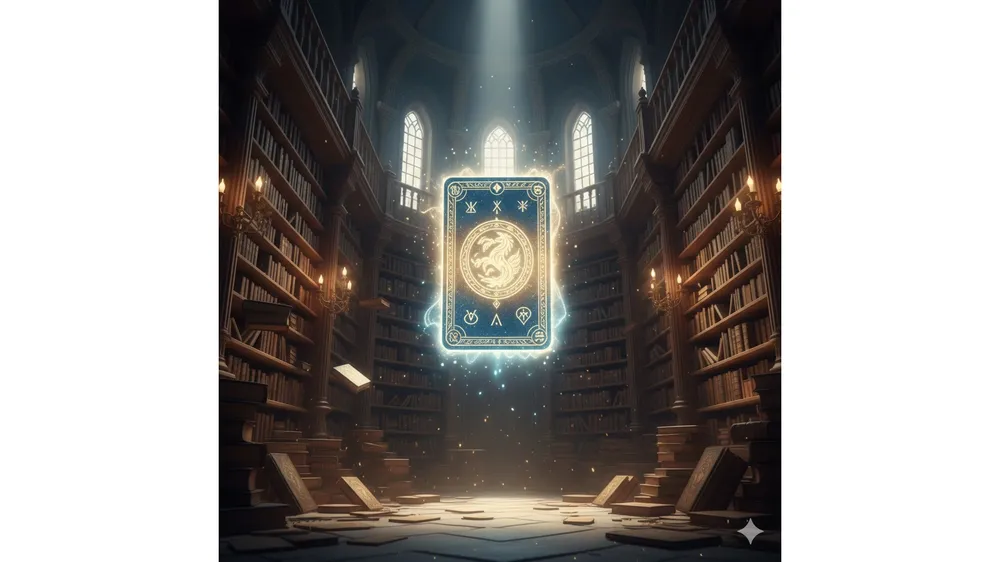
안녕하세요, 게임 공략 및 리뷰 블로그입니다. 로아인 여러분, 이번 로스트아크 7주년 이벤트 잘 즐기고 계신가요? 보상은 달달한데 매일 반복해야 하는 ‘카드 메모리 게임’ 웹 이벤트, 솔직히 숙제처럼 느껴질 때가 많습니다. 특히 다계정이나 부캐까지 챙기시는 분들은 이 단순 반복 작업 때문에 피로도가 상당하실 텐데요.
제가 직접 써보고 “이건 혁명이다” 싶어서 가져왔습니다. 기존에 돌던 스크립트들이 가끔 새 게임 시작 시 멈추거나, 카드를 인식 못 하는 버그가 있었죠? 오늘 공유해 드릴 버전은 11월 16일 자로 해당 문제들이 완벽하게 픽스된 무결점 자동화 스크립트입니다.
핵심 요약:
- 귀찮은 카드 뒤집기, F12 한 번으로 자동 해결.
- 기존 버전의 ‘멈춤 현상’ 및 ‘카드 인식 오류’ 완벽 수정.
- 엣지(Edge), 크롬(Chrome) 브라우저에서 1분 세팅 가능.
왜 이 스크립트를 써야 할까요? (11/16 업데이트 내역)
커뮤니티나 인벤 팁게를 보면 자동화 스크립트가 종종 올라오지만, 막상 써보면 중간에 멈춰서 새로고침을 해야 하는 경우가 태반이었습니다. 저도 처음엔 수동으로 하다가 10트 넘어가니 눈이 빠질 것 같더라고요.
“새로운 게임 시작 시 웹페이지가 멈추는 문제 수정 (11/12)
카드가 늦게 생성될 때 게임이 멈추는 문제 해결 및 재시도 로직 추가 (11/16)”
이 코드는 위와 같은 패치를 통해 안정성이 대폭 상향되었습니다. 제가 직접 20판 연속으로 돌려봤는데, 로스트아크 7주년 카드 스크립트 중에서는 가장 깔끔하게 돌아갑니다. 딜레이도 적당해서 웹 서버에 무리를 주지 않는 선에서 빠르게 클리어해 줍니다.
로스트아크 7주년 카드 스크립트 적용 방법
컴퓨터를 잘 모르는 분들도 따라 하실 수 있게 아주 쉽게 설명해 드릴게요. 마이크로소프트 엣지(Edge)나 크롬(Chrome) 브라우저 기준으로 설명합니다.
1. 개발자 도구 열기
먼저 로스트아크 공식 홈페이지의 카드 메모리 게임 이벤트 페이지로 접속해 주세요. 게임 화면이 뜬 상태에서 키보드의 [F12] 키를 누르면 화면 우측(또는 하단)에 개발자 도구 창이 열립니다.
2. Snippets(스니펫) 메뉴 찾기
개발자 도구 상단 메뉴 중 [Sources] 탭을 클릭하세요. 그 아래에 보면 ‘Page’, ‘Filesystem’ 등이 있는데, [>>] 화살표를 눌러 [Snippets]를 찾아 선택합니다.
3. 코드 붙여넣기 및 실행
[New snippet] 버튼을 누르고, 아래의 코드를 복사해서 붙여넣으세요. 이름은 아무거나(예: card_auto) 지으셔도 됩니다. 저장(Ctrl+S) 후, 생성된 스니펫을 우클릭 -> [Run] 하시면 끝입니다.
이제 ‘게임 시작’ 버튼을 누르면 알아서 카드가 뒤집히며 순식간에 클리어 되는 마법을 보실 수 있습니다.
▼ 복사할 코드 (전체 선택 후 복사하세요)
(function () {
if (window.__lostArkCardHelperInstalled) return;
window.__lostArkCardHelperInstalled = true;
(function installCardMemoCore() {
if (window.__cardMemoInstalled) return;
window.__cardMemoInstalled = true;
window.__cardMemo = window.__cardMemo || {};
window.__cardDone = window.__cardDone || [];
const API_PATH = "/Promotion/Card/GetCard251105";
(function hookXHR() {
const OriginalXHR = window.XMLHttpRequest;
function WrappedXHR() {
const xhr = new OriginalXHR();
let method = null;
let url = null;
let body = null;
const origOpen = xhr.open;
xhr.open = function (m, u) {
method = m;
url = u;
return origOpen.apply(xhr, arguments);
};
const origSend = xhr.send;
xhr.send = function (data) {
body = data;
xhr.addEventListener("load", function () {
try {
if (!url || !method) return;
const fullUrl = new URL(url, location.href);
if (!fullUrl.pathname.endsWith(API_PATH)) return;
if (method.toUpperCase() !== "POST") return;
let indexStr = null;
try {
if (typeof body === "string") {
const m = body.match(/(?:^|&)index=([^&]+)/);
if (m) indexStr = decodeURIComponent(m[1]);
} else if (body instanceof FormData || body instanceof URLSearchParams) {
indexStr = body.get("index");
} catch (e) {}
try {
const text = xhr.responseText;
if (!text) return;
const json = JSON.parse(text);
if (!json) return;
if (json.img != null) {
const idx = indexStr != null ? Number(indexStr) : null;
if (idx != null && !Number.isNaN(idx) && idx >= 0 && idx < 18) {
const imgUrl = new URL(json.img, "https://cdn-lostark.game.onstove.com").href;
window.__cardMemo[idx] = imgUrl;
if (json.isMatch && Array.isArray(json.index)) {
window.__cardDone = [...(window.__cardDone || []), ...json.index];
if (json.complete) {
window.__cardDone = [];
window.__cardMemo = {};
} catch (e) {}
} catch (e) {}
});
return origSend.apply(xhr, arguments);
};
return xhr;
WrappedXHR.prototype = OriginalXHR.prototype;
window.XMLHttpRequest = WrappedXHR;
if (!window.__xhrRestoreInstalled) {
window.__xhrRestoreInstalled = true;
window.addEventListener("beforeunload", function () {
try { window.XMLHttpRequest = OriginalXHR; } catch (e) {}
});
})();
})();
(function installAutoPlayer() {
if (window.__lostArkAutoPlayerInstalled) return;
window.__lostArkAutoPlayerInstalled = true;
if (!window.__cardMemo) window.__cardMemo = {};
if (!window.__cardDone) window.__cardDone = [];
window.__cardBusy = false;
window.__cardAutoPlayRunning = false;
window.__cardHasPlayedOnce = window.__cardHasPlayedOnce || false;
function sleep(ms) { return new Promise((r) => setTimeout(r, ms)); }
function getCardElement(index) { return document.querySelector(`section#grid button.card[data-idx="${index}"]`); }
function isBoardReady() { return !!document.querySelector('section#grid button.card[data-idx="0"]'); }
function isStateEmpty() {
const memo = window.__cardMemo || {};
const done = window.__cardDone || [];
return Object.keys(memo).length === 0 && done.length === 0;
function isClickable(el) {
if (!el) return false;
if (el.disabled) return false;
const rect = el.getBoundingClientRect();
if (rect.width === 0 || rect.height === 0) return false;
return true;
async function waitForBoardReadyFull(timeout = 5000) {
const start = Date.now();
while (Date.now() - start < timeout) {
const all = document.querySelectorAll('section#grid button.card[data-idx]');
if (all && all.length >= 18) return true;
await sleep(100);
return false;
async function ensureBoardReady() {
if (!await waitForBoardReadyFull(5000)) return false;
return true;
async function clickWhenReady(index, timeout = 4000) {
const start = Date.now();
while (Date.now() - start < timeout) {
const el = getCardElement(index);
if (isClickable(el)) { el.click(); return true; }
await sleep(50);
return false;
function findMatchedPairFromMemory() {
const memo = window.__cardMemo || {};
const done = new Set(window.__cardDone || []);
const map = new Map();
for (let i = 0; i < 18; i++) {
const img = memo[i];
if (!img) continue;
if (done.has(i)) continue;
if (!map.has(img)) map.set(img, []);
map.get(img).push(i);
for (const [img, idxs] of map.entries()) {
if (idxs.length >= 2) return idxs.slice(0, 2);
return null;
function findOneUnknownCard(exceptIdx = null) {
const memo = window.__cardMemo || {};
const done = new Set(window.__cardDone || []);
for (let i = 0; i < 18; i++) {
if (i === exceptIdx) continue;
if (done.has(i)) continue;
if (!memo[i]) return i;
return null;
function findAnyUnmatchedCard(exceptIdx = null) {
const done = new Set(window.__cardDone || []);
for (let i = 0; i < 18; i++) {
if (i === exceptIdx) continue;
if (done.has(i)) continue;
return i;
return null;
function findSameImageCard(imgUrl, exceptIdx) {
const memo = window.__cardMemo || {};
const done = new Set(window.__cardDone || []);
for (let i = 0; i < 18; i++) {
if (i === exceptIdx) continue;
if (done.has(i)) continue;
if (memo[i] === imgUrl) return i;
return null;
function isGameComplete() {
const done = new Set(window.__cardDone || []);
return done.size >= 18;
async function playOneStep() {
if (window.__cardBusy) return true;
if (!(await ensureBoardReady())) return false;
if (isGameComplete()) return false;
window.__cardBusy = true;
try {
let pair = findMatchedPairFromMemory();
if (pair) {
const ok1 = await clickWhenReady(pair[0]); if (!ok1) return false;
await sleep(600);
const ok2 = await clickWhenReady(pair[1]); if (!ok2) return false;
await sleep(1200);
return true;
let firstIndex = findOneUnknownCard();
if (firstIndex == null) {
firstIndex = findAnyUnmatchedCard();
if (firstIndex == null) return false;
const okFirst = await clickWhenReady(firstIndex); if (!okFirst) return false;
await sleep(600);
const imgFirst = (window.__cardMemo || {})[firstIndex];
let secondIndex = null;
if (imgFirst) secondIndex = findSameImageCard(imgFirst, firstIndex);
if (secondIndex == null) {
secondIndex = findOneUnknownCard(firstIndex);
if (secondIndex == null) secondIndex = findAnyUnmatchedCard(firstIndex);
if (secondIndex != null) {
const okSecond = await clickWhenReady(secondIndex); if (!okSecond) return false;
await sleep(1200);
return true;
} finally {
window.__cardBusy = false;
async function autoPlayAll() {
if (window.__cardAutoPlayRunning) return;
window.__cardAutoPlayRunning = true;
window.__cardHasPlayedOnce = true;
while (window.__cardAutoPlayRunning) {
const moved = await playOneStep();
if (!moved || isGameComplete()) break;
window.__cardAutoPlayRunning = false;
function stopAutoPlay() { window.__cardAutoPlayRunning = false; }
window.autoPlayAll = autoPlayAll;
window.stopAutoPlay = stopAutoPlay;
if (!window.__watchInstalled) {
window.__watchInstalled = true;
(async function watchForNewGame() {
let pendingToken = null;
while (true) {
if (window.__cardHasPlayedOnce && !window.__cardAutoPlayRunning && isBoardReady() && isStateEmpty() && !pendingToken) {
const token = {};
pendingToken = token;
await sleep(3000);
if (pendingToken === token && window.__cardHasPlayedOnce && !window.__cardAutoPlayRunning && isBoardReady() && isStateEmpty()) {
autoPlayAll();
if (pendingToken === token) pendingToken = null;
await sleep(1000);
})();
autoPlayAll();
})();
})();
자주 묻는 질문 (FAQ)
Q1. 사용하다가 갑자기 멈추면 어떻게 하나요?
A1. 대부분의 경우 인터넷 연결이 불안정하거나 서버 응답이 늦을 때 발생할 수 있습니다. 11/16 패치로 재시도 로직이 추가되어 자동으로 해결되지만, 만약 1분 이상 반응이 없다면 페이지를 새로고침(F5) 한 후 스크립트를 다시 실행(Run) 해주세요.
Q2. 이 스크립트를 쓰면 정지 당하나요?
A2. 해당 스크립트는 웹 브라우저 상에서 동작하는 단순 매크로로, 게임 클라이언트(In-game)에 직접적인 영향을 주지 않습니다. 지금까지 웹 이벤트 편의성 스크립트로 인해 제재를 받았다는 사례는 본 적이 없습니다만, 모든 외부 프로그램/스크립트 사용의 책임은 본인에게 있으니 참고해 주세요.
Q3. 모바일에서도 가능한가요?
A3. 모바일 브라우저에서는 개발자 도구(F12)를 켜기가 매우 까다롭습니다. PC에서 하시는 것을 강력 추천드립니다.
더 자세한 공식 이벤트 정보는 로스트아크 공식 홈페이지에서 확인하실 수 있습니다. 여러분의 쾌적한 로아 생활(쌀먹? 혹은 스펙업!)을 응원합니다. 도움이 되셨다면 댓글 한 번씩 부탁드려요!
![Read more about the article [메이플스토리] 처음 시작하는 메린이를 위한 무과금 추천 직업](https://game.savetip.co.kr/wp-content/uploads/2023/07/img-20-300x225.jpg)